Blog··10 min read
Creator Profile Page Examples: What to Put on Your Bio Link
Examples of creator profile page structures for musicians, streamers, YouTubers, TikTok creators, DJs, and multi-platform creators.
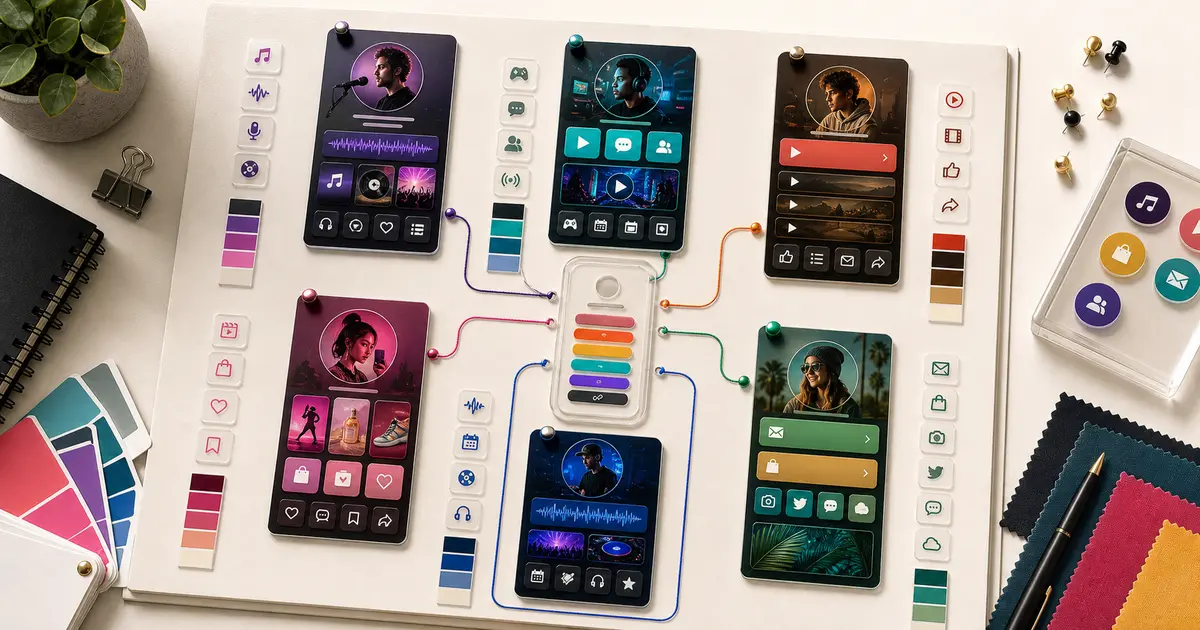
A creator profile page is the public home for everything fans need after they tap your bio link. It can hold social links, content previews, music, videos, products, newsletters, communities, booking links, and whatever you are promoting this week. The hard part is not filling it. The hard part is deciding what goes first, what earns a preview, and what quietly clutters the page.
The right structure depends on what you make. A musician wants fans to press play. A streamer wants viewers to follow and join a community. A DJ wants promoters to find a booking link fast. Same tool, very different pages. Below are example structures by creator type, plus a look at what real ByteSize creators do well, so you can borrow the pattern that fits you instead of guessing. Each of these is a starting point, not a rule. Steal the order, then make it yours.
If you want the definitions first, start with what is link-in-bio? and the creator profile page glossary entry. Otherwise, find your creator type below.
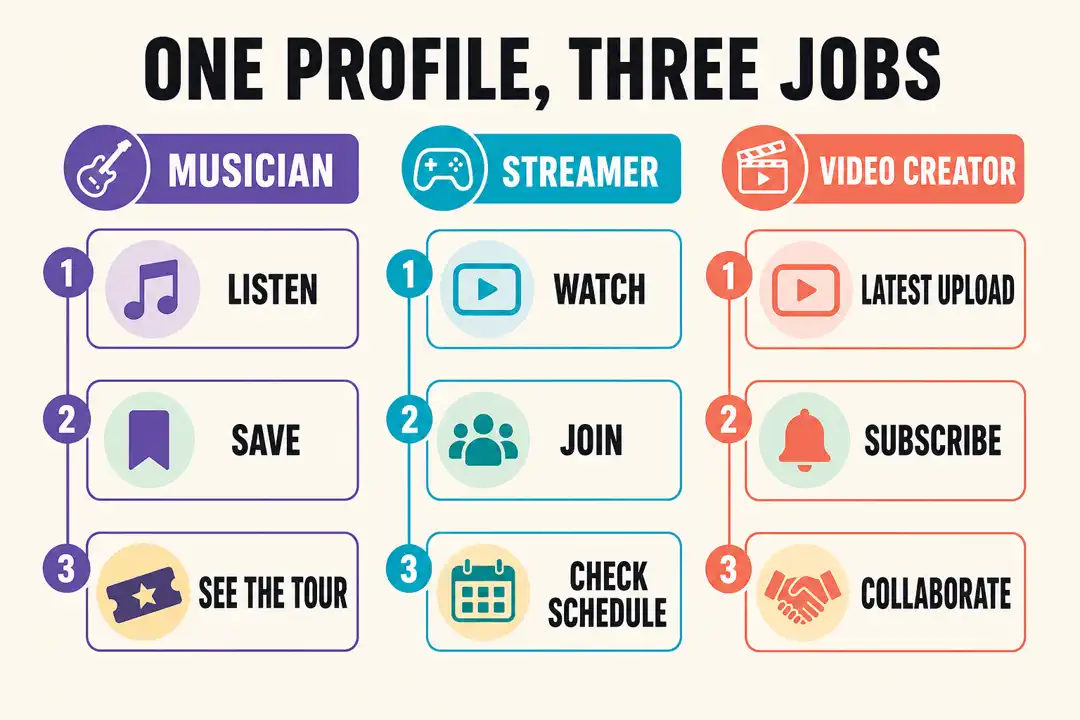
Musician Profile Page
A musician page has one job above all others: get fans to hear the music, then keep them close enough to come back for the next release. Everything else, merch, tour dates, socials, is support for that.
Recommended structure:
- New single, album, video, or tour announcement, whatever is current.
- An embedded track or video preview so fans can listen without leaving.
- Streaming links to Spotify, Apple Music, and YouTube.
- Merch or tickets.
- Social links for YouTube, TikTok, Instagram, and the rest.
- A booking, press, or contact link.
The reason to lead with an embedded preview instead of a wall of streaming buttons is momentum. A fan who presses play and likes what they hear is far more likely to follow and save than one staring at six identical link buttons deciding where to click. This is where embedded content earns its place: on ByteSize, Spotify and Apple Music show up as playable players right on the page, and your latest YouTube uploads auto-sync so a new music video appears without you touching the page.
Look at Elaine Covers, a cover artist featured on our landing page (see our link in bio for musicians guide for the full pattern). Her feedback was that "the previews are beautiful and it helped increase my following." That is the pattern working exactly as intended: the preview does the convincing, so the follow feels natural. MusicofLola, an independent musician, put it another way, wanting "one link that connects them to all things Lola." That is the whole musician job in a sentence: one page, all the music, always current.
See the full link in bio for musicians guide or compare the best link-in-bio tools for musicians.
Streamer Profile Page
A streamer page should turn a casual viewer into a follower, then a community member, then a repeat viewer. The traffic often arrives cold from a clip, so the page has seconds to say "here is where I am live and here is where we hang out."
Recommended structure:
- Live channel or the current stream schedule.
- Twitch and YouTube links.
- Discord or community link.
- Recent clips or highlight videos.
- Merch, sponsor, donation, or affiliate links.
- Social links for TikTok, Instagram, and short-form clips.
The trick for streamers is that discovery and community are different jobs, and both belong near the top. A viewer who found you through a TikTok clip needs the live channel. A regular who already follows wants the Discord. Put both within the first tap and you serve both without making either dig.
Cozygames, a gaming creator on our landing page, described ByteSize as "much better than Linktree" and liked "the friendly UX design" enough to recommend it to creator friends. For streamers, that design point matters more than it sounds. A page that matches your channel's look, rather than a generic list of blue links, reads as part of the brand fans already follow, not a detour off it.
Read the link in bio for streamers guide for a fuller setup.
YouTuber Profile Page
A YouTuber page should move visitors toward the channel and the ecosystem around it: the newsletter, the community, the products, the second channel. YouTube traffic tends to be warmer than social traffic, so you can ask for a little more.
Recommended structure:
- Latest video, a key playlist, or the channel subscribe link.
- A featured video preview.
- Newsletter, community, or membership.
- Sponsor, merch, course, or product links.
- TikTok, Instagram, Twitch, podcast, or secondary channels.
- A business inquiry link.
Because ByteSize auto-syncs your YouTube uploads, the "latest video" block stays current on its own, which is exactly what you want for a platform where the newest upload is usually the thing you most want seen. You set it up once and stop maintaining it. That frees the rest of the page to do the durable work: growing the newsletter and community that you own, rather than renting from an algorithm.
Read the link in bio for YouTubers guide if YouTube is your main platform.
TikTok Creator Profile Page
A TikTok creator page has to match the speed of TikTok traffic. Visitors usually land because one specific post made them curious, so the page should answer that curiosity in the first block, not bury it under everything you have ever made.
Recommended structure:
- The exact product, video, playlist, or offer mentioned in your latest post.
- YouTube, Instagram, shop, newsletter, or community links.
- Embedded posts or videos that show your style.
- Evergreen links for your main platforms.
- A contact or collaboration link.
The single biggest lift for a TikTok creator is matching the page to the post. If a video says "link in bio for the recipe," the recipe should be the first thing on the page, not the fourth. On ByteSize you add TikTok and Instagram posts as embeds, so you can drop the exact clip fans came from right onto the page and let it keep selling the offer beneath it. For a lifestyle creator like Jenna, featured on our landing page, publishing across several platforms is the classic case for this structure: the page absorbs whichever platform is sending traffic that week without breaking.
Start with the TikTok bio link guide or the link in bio for TikTok creators page.
DJ Profile Page
A DJ page serves two audiences at once: fans who want to hear the sound and promoters who want to book the artist. The page should let both find what they need in a single glance, because a promoter who has to hunt for a contact link will just move on.
Recommended structure:
- Latest mix, event, or release.
- Music and video previews.
- A booking or contact link, kept easy to spot.
- Tour dates, tickets, or event pages.
- Social links for Instagram, TikTok, SoundCloud, Mixcloud, YouTube, or Spotify.
- Merch or newsletter links.
A DJ page in the mold of Ron Reeser, a DJ and producer featured on our landing page, works best with recent mixes up top so the sound sells itself and the booking path never more than a tap away. The same instinct serves artists like iamfallfromgrace: lead with the work. For any artist whose income depends on getting booked, the booking link is not a footer item. Treat it like a primary action and keep it near the top.
Use the link in bio for DJs guide for a DJ-specific setup.
Multi-Platform Creator Page
Some creators do not fit one label. They publish videos, posts, newsletters, products, communities, and offers at the same time, and no single platform describes them. The risk here is a page that tries to be everything and ends up prioritizing nothing.
Recommended structure:
- Your current priority, whatever it is this month.
- Your best content preview.
- Main platform links.
- Products, newsletter, or community.
- Press, booking, or contact.
- Secondary social links.
The discipline that saves a multi-platform page is choosing one priority and letting the rest sit below it. You are not hiding anything by ranking. You are just telling a first-time visitor where to look first. Everything else is still one scroll away.
Read the link in bio for content creators guide for a broader setup.
What Every Good Example Has in Common
Across all six creator types, the pages that work share the same skeleton:
- One current priority at the very top, matched to whatever you are actively promoting.
- Clear labels that say where a tap leads, no "click here" or "my stuff."
- Content previews where they help fans decide, especially for music and video.
- Evergreen destinations below the priority, so returning fans find the usual places fast.
- A way to contact or follow that is easy to spot.
- Regular cleanup so old campaigns do not linger at the top after they stop mattering.
Notice what is not on the list: more links. Every example above wins by ordering and previewing, not by adding. A page with six well-ordered blocks beats one with twenty flat buttons every time.
If you want to see this structure in action before you build, the fastest path is to claim a ByteSize handle and drop your own content onto a page, then reorder until the priority is obvious. The free Start plan covers unlimited links, embedded content, and a public page at bytesize.me/yourhandle, so you can build the whole thing without paying anything. Creator Pro at $9/mo, or $90/year (2 months free) adds analytics, deeper customization, and branding removal once you want them.
FAQ
What should go at the top of a creator profile page?
Whatever you are actively promoting right now. A new release, a current video, a merch drop, a booking link, or a launch. The first block should answer "what should I do right now?" for a first-time visitor. Move it down or swap it out the moment it stops being current, and do not leave last month's campaign sitting at the top out of habit.
How many links should a creator profile page have?
Fewer than you think. There is no hard cap, and on ByteSize you get unlimited links even on the free plan, but a crowded page hides the links that matter. Aim for one clear priority, a short set of primary platforms, and a small group of secondary links below that. If a destination never gets tapped and adds nothing to your credibility, cut it.
Should I embed content or just link to it?
Embed it when the content is the reason people follow you, and link when the destination is just a place to go. For musicians and video creators, an embedded track or video preview does the convincing before the fan even clicks away. On ByteSize, YouTube uploads auto-sync onto the page, TikTok and Instagram posts are added as embeds, and Spotify and Apple Music appear as playable players.
Do I need a different page for each platform?
No, and that is the point of a link-in-bio page. One page at your handle should make sense whether the visitor arrived from TikTok, YouTube, or Instagram. Point every social bio at the same URL, keep the priority current, and the page serves all your traffic sources at once. As of July 2026 that single-URL approach is still the most reliable way to survive platform changes.
Where can I see real creator page examples?
The ByteSize landing page features real creators including Cozygames, Elaine Covers, MusicofLola, Ron Reeser, iamfallfromgrace, and Jenna, spanning gaming, music, DJ, and lifestyle. For structure by audience, the best link-in-bio tools roundup and the per-creator guides linked above walk through what each type puts on the page and why.
Read next
Keep going
- How to Add a Link to Your TikTok Bio (2026 Guide)How to add a link to your TikTok bio in 2026: the clickable website field, whether you really need 1,000 followers, and how to share more than one link.
- How to Add a Link to Your Instagram Bio (2026 Guide)How to add a link to your Instagram bio in 2026: the bio Links field, adding up to five links, and the Stories link sticker that replaced swipe up.
- How to Build a Link-in-Bio Setup for CreatorsA practical framework for deciding what belongs on your creator bio link, what to pin first, and how to keep the page useful as your content changes.
Plan your next step
Turn the guide into a better bio page
- Browse every creator guideMove from setup questions into use cases, comparisons, and link-in-bio fundamentals.
- Compare Linktree alternativesChoose a tool by content, commerce, maintenance, pricing, and creator fit.
- See Bytesize pricingCompare the free Start plan with Creator Pro before you build your page.