Put your channels in one place
Link your Twitch and Discord, drop in your merch and sponsor links, and connect the rest so a new viewer sees the whole operation on one mobile-friendly page instead of a single buried link.
A stream audience never sits still on one platform. Somebody clips you on TikTok, another catches a Short, a third hears about you in a Discord. A link in bio for streamers pulls all of that scattered attention into one place where a new viewer can watch you live, follow the channels they didn't know about, join the community, and grab the merch, without you rebuilding your bio every time the schedule changes.
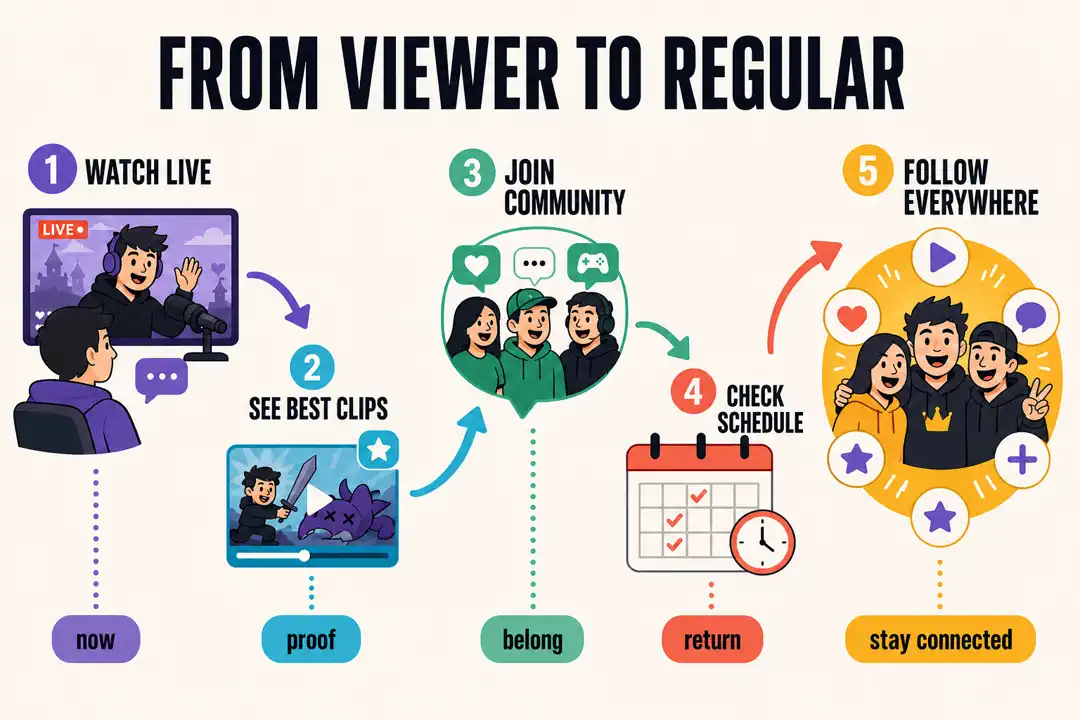
Why bios break
What you get
Link your Twitch and Discord, drop in your merch and sponsor links, and connect the rest so a new viewer sees the whole operation on one mobile-friendly page instead of a single buried link.
Connect your YouTube channel and new uploads, VODs, and Shorts show up automatically, so the page is fresh the day you post without you touching it.
Feature the content that hooks people so a viewer who arrived from one clip can sample your style and decide to follow you everywhere else, not just the platform they landed on.
Creator Pro adds page analytics so you can see how many viewers reach your page and which platforms send them your way. Pricing is $9/mo, or $90/year (2 months free), as of August 2026.
Setup
Keep your main Bytesize URL stable. Update the page order as your newest release, post, stream, or campaign changes.
When you're about to go live or you're mid-campaign, feature your Twitch or the current push at the very top so it's the first thing a new viewer sees.
Make Discord, your newsletter, merch, and sponsor links visible without shoving your main channel down the page.
Drop the same Bytesize link in your stream panels, your TikTok and Instagram bios, your YouTube descriptions, and your overlays, then reorder the page when things change.
The detail
A viewer who found one clip is deciding, right now, whether you're worth a second platform. Here's what the page puts in front of them while that window is open.
The top of the page is where you send people to watch. You add your Twitch channel and, when you're pushing a stream or a campaign, that's the first thing a new viewer sees. A viewer who found a 20-second clip on TikTok now knows exactly where to catch the whole thing live.
Twitch sits on the page as a channel link and section you control, so you decide what is featured and when. Nothing rearranges itself the night you are trying to funnel a raid somewhere specific.
Connect your YouTube channel once and your uploads keep the page fresh on their own. New VOD, new Short, new highlight reel: it's on the page the day it goes live, so someone browsing after a stream always sees your latest, not a clip from a build you've long since retired.
That auto-sync is the part you never babysit. Everything else on the page, your merch and sponsor slots and community links, you arrange yourself, which is what you want for links that change per deal.
Around the channels you keep the rest of the world a viewer might want: your Discord invite, your newsletter, a merch shop, sponsor links, and every social handle. A fan who wants in on the community and a brand checking your links both land on one page and both find their thing fast.
If you are coming off a plain Linktree, the switch takes a few minutes. Claim your handle, paste your links, connect YouTube, and point your stream panels and social bios at the single URL. Our Linktree alternative page walks through the differences if you want them side by side.
When you send a raid or drop your link mid-stream, viewers are on their phones and they move fast. The page loads clean on mobile and puts the one action you want first, so a viewer taps through before their attention drifts. A cluttered list loses that window; a focused page keeps it.
You can restyle the page to match your brand and preview it before it is live, so it looks like your channel, not a default template. The Start plan covers all of that for free, and Creator Pro clears the Bytesize badge and switches on analytics for $9/mo, or $90/year (2 months free), as of August 2026.
Built for creators
Gaming creator Cozygames called Bytesize much better than Linktree and singled out the friendly UX design, then recommended it to their creator friends. That matters at the exact moment a viewer is deciding whether you are worth a follow on a second platform: a page that feels good to land on gets the follow, a cluttered list loses it.
Free to start. Keep your handle forever.
Claim your streamer page