Blog··3 min read
Linktree Alternative Checklist for Creators
Use this checklist to compare Linktree alternatives based on content previews, pricing, analytics, mobile experience, and how much manual updating your page needs.
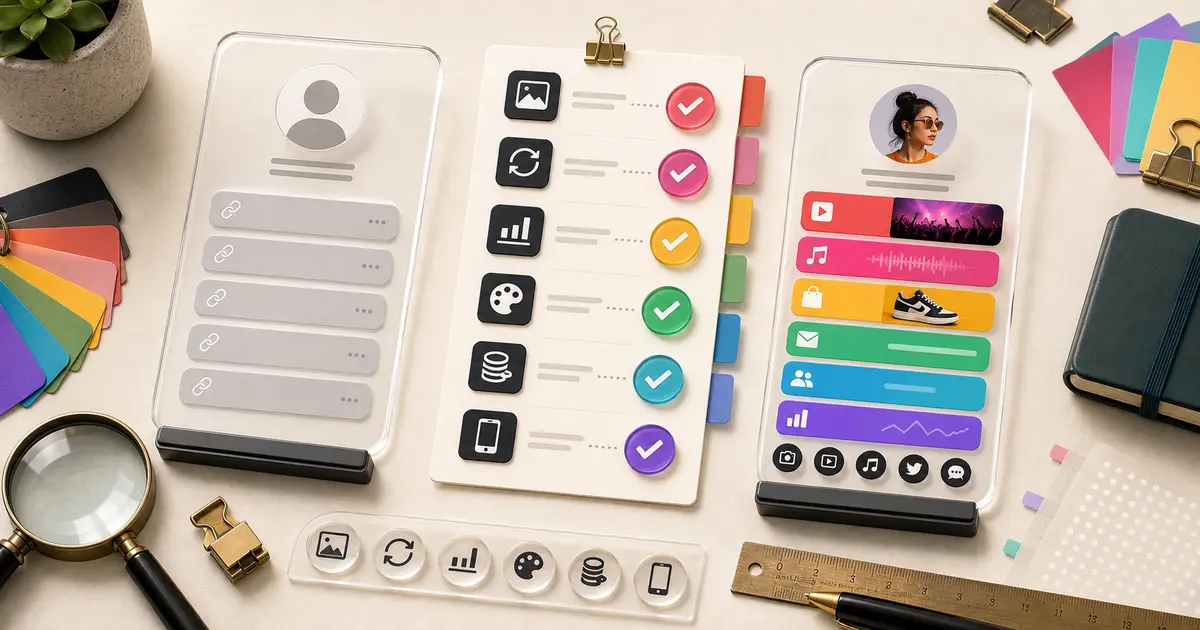
Choosing a Linktree alternative is not just about finding another place to stack links. The better question is whether your bio link should be a simple directory or a richer creator profile.
Use this checklist when comparing Bytesize, Linktree, Beacons, Stan Store, Bio Link, Carrd, or any other link-in-bio tool.
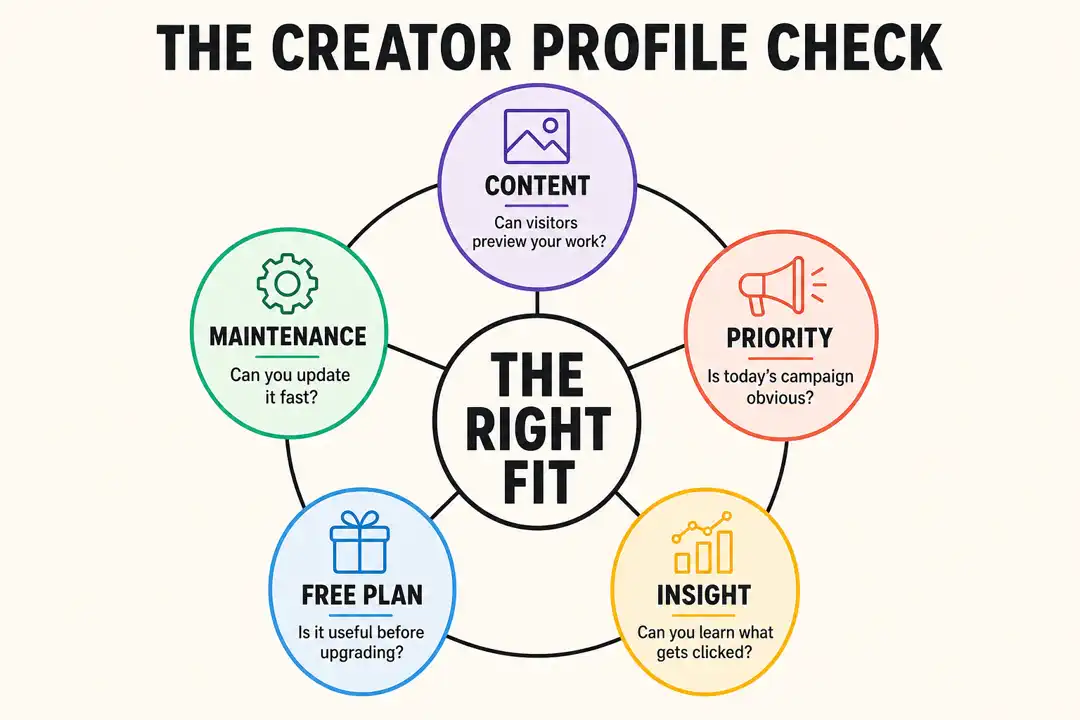
1. Does the Page Show Your Work?
A creator profile should help visitors understand what you make before they leave the page.
Look for support for:
- Video previews.
- Music embeds.
- Product or merch links.
- Social content.
- Newsletter or community links.
- Priority links for current campaigns.
If your page only shows text buttons, it may be enough for a simple profile. If your content is the reason people follow you, previews matter.
2. Can You Keep It Current Without Constant Maintenance?
Creators publish often. A good bio link should not become stale every time you post, upload, release, stream, or launch.
Ask:
- Can supported platforms sync or update content?
- Can you quickly reorder priority links?
- Can you keep evergreen links visible while changing the top campaign?
- Does the page still look polished after several updates?
Bytesize is strongest when the page needs to feel alive instead of manually rebuilt after every post.
3. Is the Free Plan Actually Useful?
Free does not matter if the page cannot do the basic job.
Check whether the free plan includes:
- A public profile.
- Enough links for your core destinations.
- Basic customization.
- A clear upgrade path to analytics when you need them.
- A mobile page that feels credible.
For Bytesize, the Start plan is free. Creator Pro adds analytics, more customization, priority links, and removing Bytesize branding. See pricing for the current plan structure. If Linktree is the incumbent you are comparing against, we broke down exactly what its free plan includes in Is Linktree free?
4. Does the Tool Match Your Creator Type?
Different creators need different bio links.
Musicians often need releases, videos, streaming links, merch, bookings, and fan links. Streamers often need Twitch, YouTube, Discord, merch, sponsor links, and clips. TikTok creators often need one page that routes attention from a fast-moving post to a specific next step.
Use these guides if you want a narrower comparison:
- Link in bio for musicians
- Link in bio for streamers
- Link in bio for TikTok creators
- Link in bio for content creators
5. Are Analytics Clear Enough?
Analytics should help you decide what to change.
At minimum, you want to know which links get clicked and which destinations matter most. That can tell you whether fans care more about videos, streams, merch, newsletters, communities, bookings, or shops.
If a tool gives you data but no clear action, the analytics may not help much.
6. Does It Look Good on Mobile?
Most bio link traffic comes from social profiles, which means mobile experience matters. Open each candidate page on a phone-sized screen and check:
- Does the first screen show the current priority?
- Are buttons easy to tap?
- Does content load quickly?
- Are images or embeds cropped awkwardly?
- Is the page easy to scan without reading every line?
7. Is Switching Simple?
A good migration should be boring.
Move your highest-priority links first, add content previews where useful, connect supported platforms, then put the new URL in your social bios. Keep the old page live until the new one is checked across mobile and desktop.
For a direct comparison, read Bytesize vs Linktree. For a broader shortlist, read best Linktree alternatives. And if you have not built anything yet and want to see both setup flows side by side, how to make a Linktree walks through each step.
Bottom Line
Choose a Linktree alternative based on the job your bio link needs to do. If you only need a familiar list, a basic link page can work. If you want one profile for videos, music, products, posts, and fan actions, Bytesize is built for that richer creator workflow.
Read next
Keep going
- Linktree Pricing Explained: Every Plan, Fee, and What You Actually Pay (2026)Linktree pricing runs from a free plan to four tiers, plus a sales fee most guides miss. Here is what each plan adds and the real cost.
- Is Linktree Free? What the Free Plan Really IncludesYes, Linktree is free, but the free plan has real limits. Here is exactly what you get, what you give up, and the free alternatives worth knowing.
- How Does Linktree Make Money? The Business Model Explained (2026)How does Linktree make money if the core product is free? Three ways: paid subscriptions, a cut of your sales, and brand-sponsored links.
Plan your next step
Turn the guide into a better bio page
- Browse every creator guideMove from setup questions into use cases, comparisons, and link-in-bio fundamentals.
- Compare Linktree alternativesChoose a tool by content, commerce, maintenance, pricing, and creator fit.
- See Bytesize pricingCompare the free Start plan with Creator Pro before you build your page.